
Our 2FA bot supports Steam logins through the Steam PC launcher only.
HOW IT WORKS
Follow these 6 simple steps to play safely without affecting your personal account or the shared account.

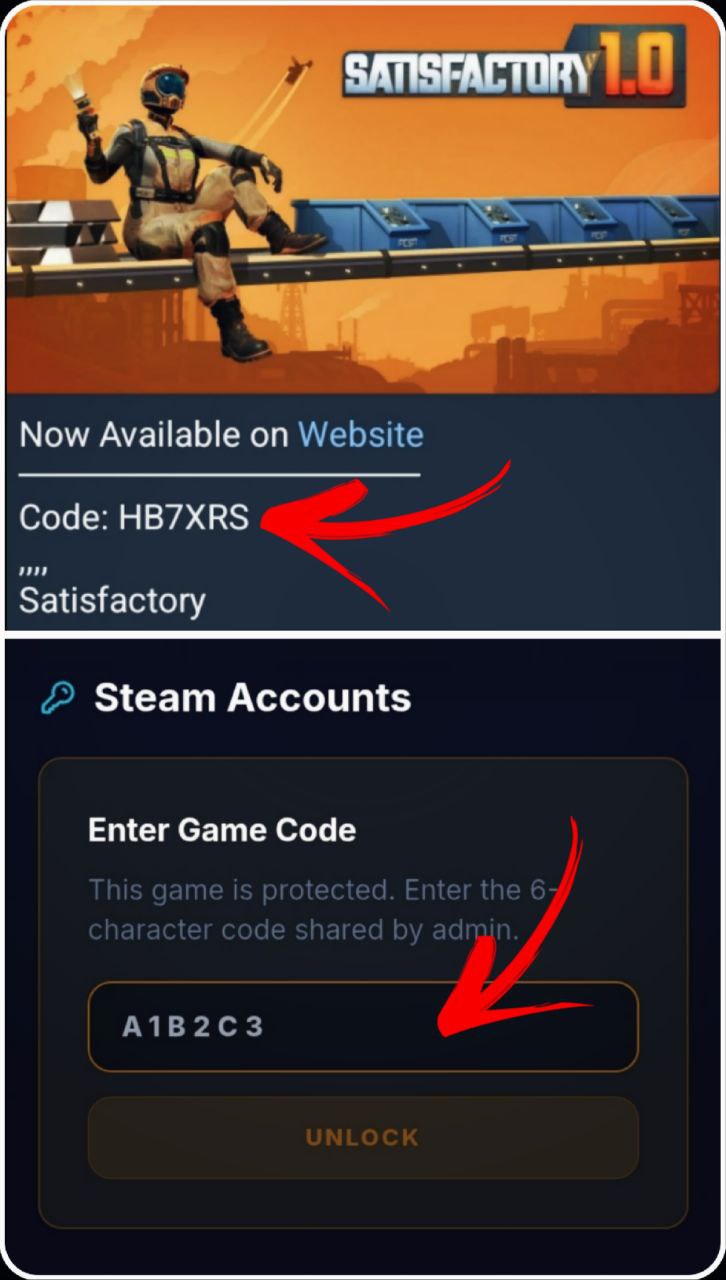
Get Locked Code
1Copy the code from Telegram Accounts Channel and paste it into the game page to access the credentials.
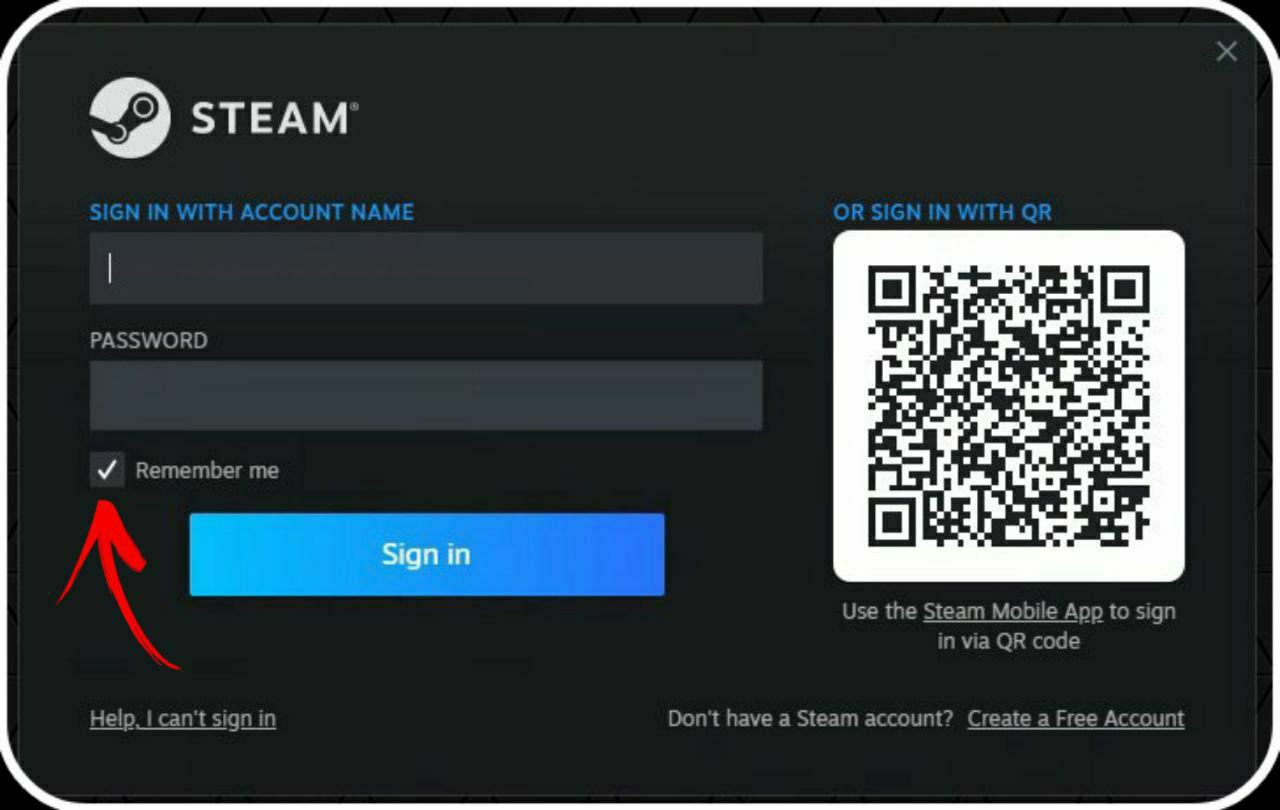
Login to Steam
Copy the credentials from the game page (Email & Password). Log in to the Steam client using these details.
Important: Do not change the password or email.
Get 2FA Code
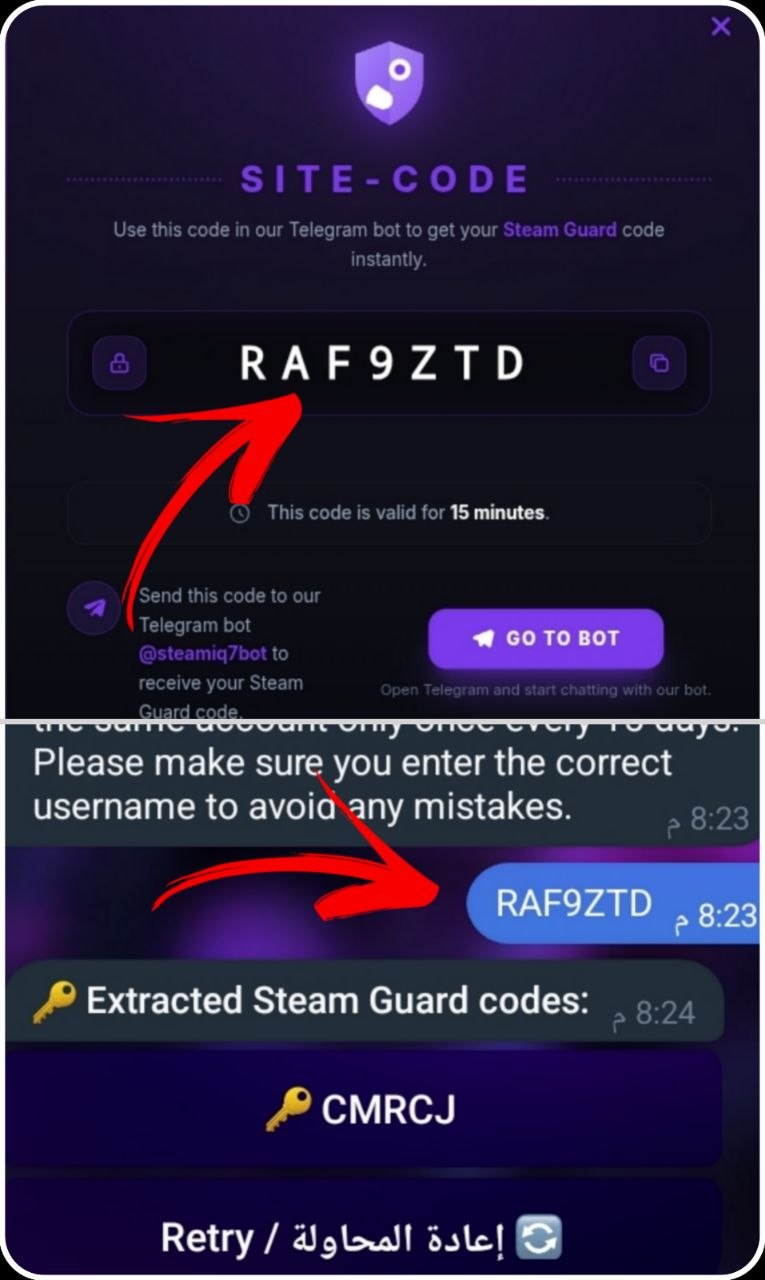
3 1. Copy your SITE-CODE from the website.
2. Paste it into the Telegram bot @steamiq7bot.
3. The bot will generate your verification code instantly.
Important: Each SITE-CODE is one-time use and expires after 15 minutes.
.jpg)
Disable Remote Play
Go to Settings > Remote Play and untick "Disable Remote Play". This prevents streaming conflicts.
Disable Cloud Saves
5Go to Settings > Cloud and untick "Disable Steam Cloud". This ensures your save files are kept local on your PC and don't overwrite others'.
.jpg)
.jpg)
Go Offline & Play
Click Steam > Go Offline... in the top menu. Launch the game. You can now play indefinitely without interruptions!
Important: If the game has DRM (Denuvo), launch it Online first time before going offline.
Community Rules
- ✓No swearing or insults
- ✓Respect all members
- ✓No spamming chat
- ✓No hate speech
- ✓Stay friendly